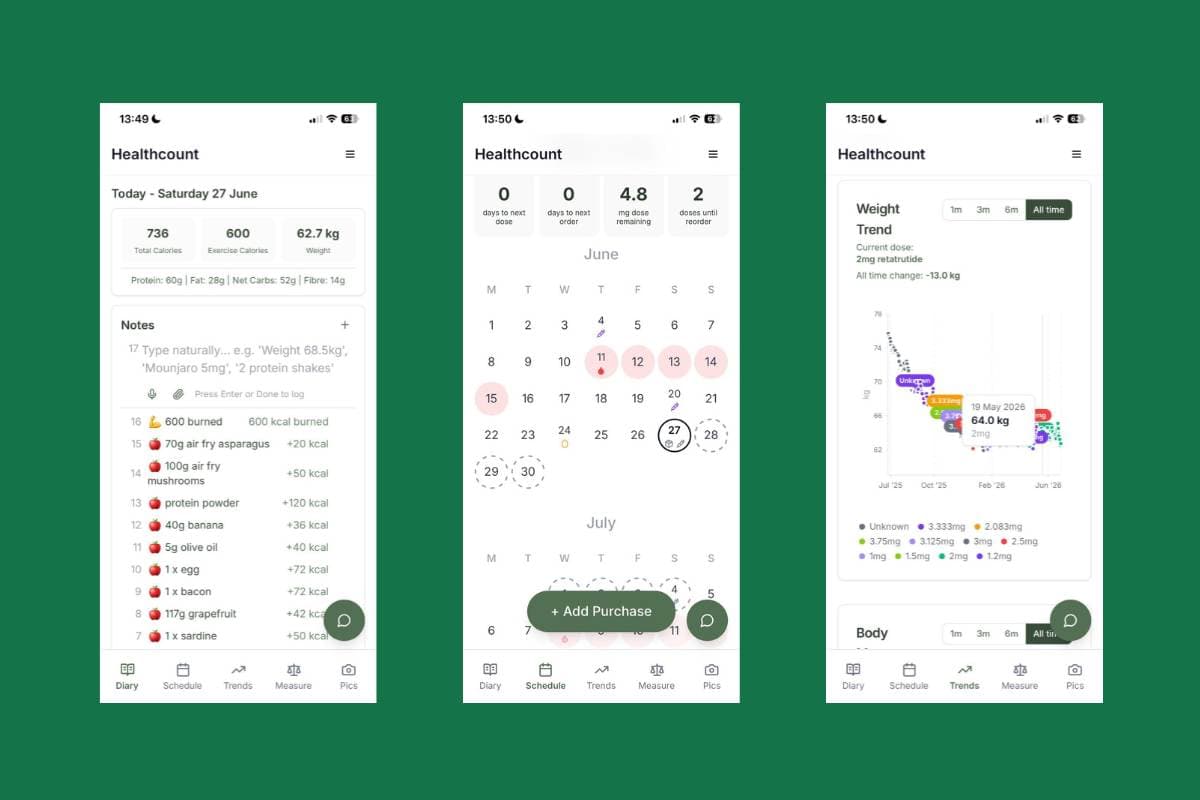
Healthcount is a calm, simple place to track your weight-loss journey, built for people on GLP-1 medication like Wegovy, Mounjaro and the rest. This is your start-here guide. Follow the steps below in order and you'll be set up in a few minutes, and you'll understand every part of the app. You don't have to use all of it. Do a little, often, and the picture builds itself.
The short version: sign up, set a goal, add your dose plan, then log your day in plain English on the diary page. The schedule shows your doses and reorders, the trends page shows whether it's actually working, and measurements and photos catch the progress the scale misses.
1. Sign up and tell us about you
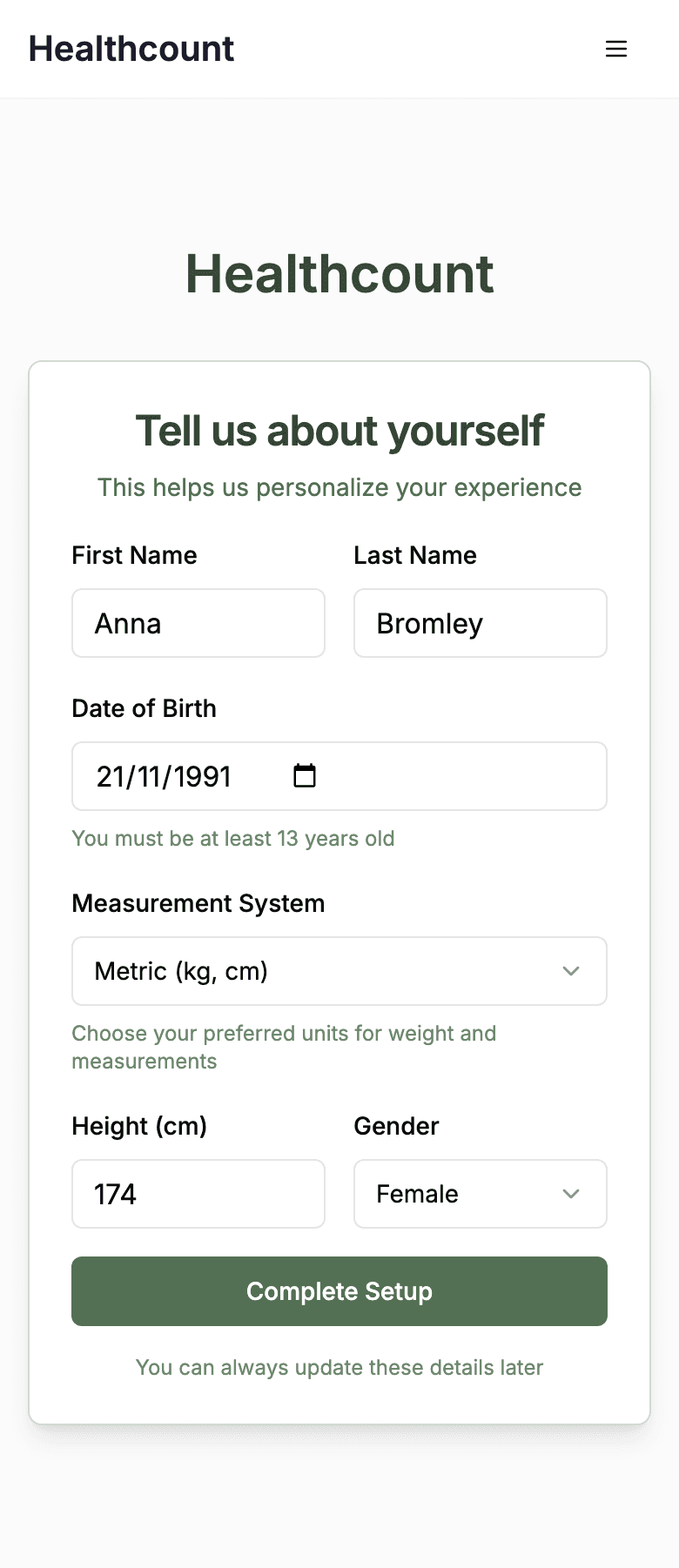
Start at the sign-up page. It takes about 30 seconds, and there's no app to download, since Healthcount runs in your browser and can be added to your home screen. Then it asks a few basics so it can personalise things: your name, date of birth, height, whether you prefer metric or imperial, and your gender. That last one matters, because if you're a woman it unlocks the period and cycle tracking later on.
2. Set your goal
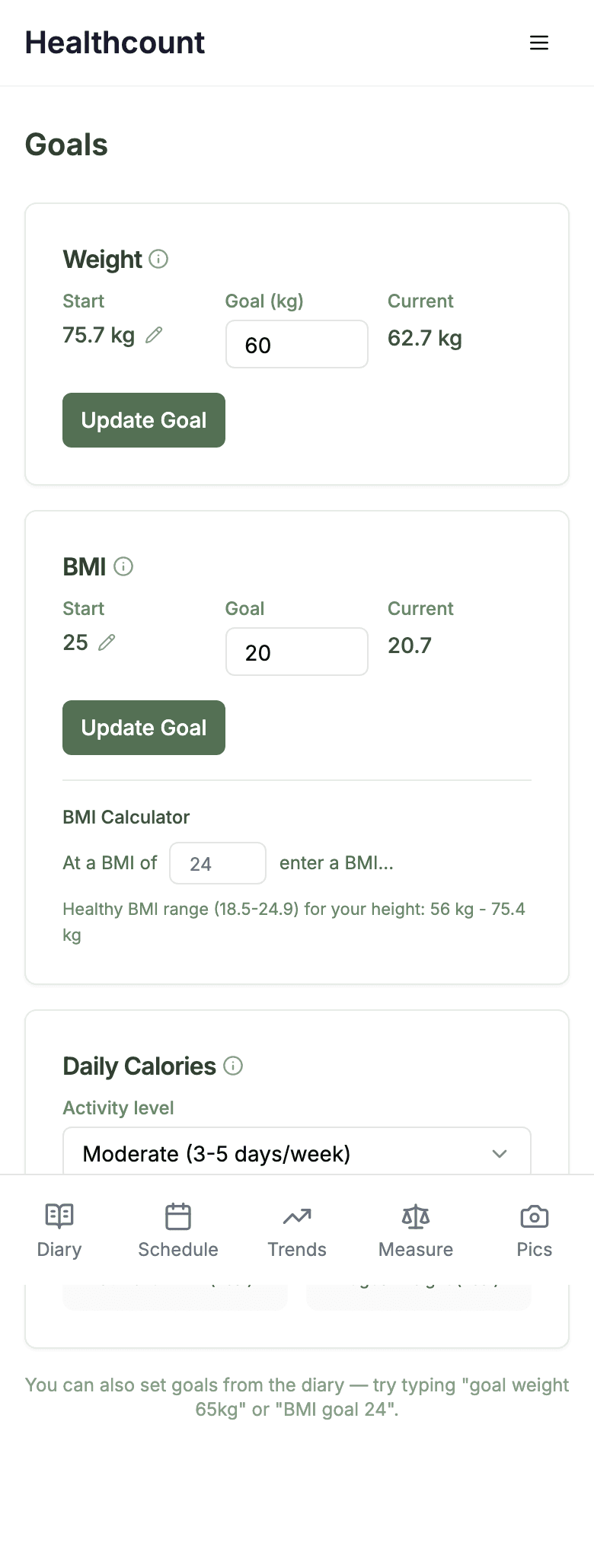
Next, head to the goals page and set a target. You can set a goal weight, a goal BMI, or both, and Healthcount shows your starting point, your current number, and the gap. There's a small BMI calculator that tells you the healthy weight range for your height, and a daily calorie target based on your activity level. You can also set goals straight from the diary by typing something like "goal weight 65kg", which is handy once you're in the flow.
3. Set up your dose plan
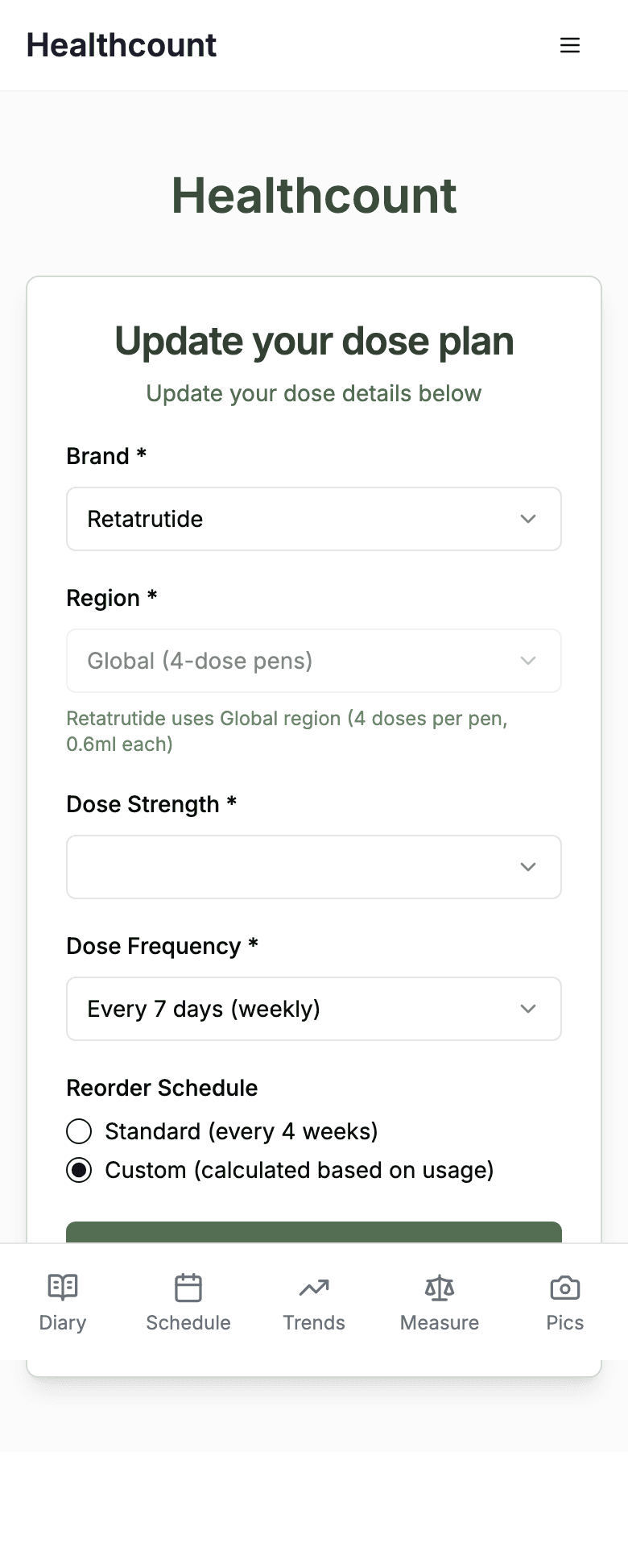
The dose plan is what makes the schedule and reorder reminders work. You pick your brand, your region, your dose strength, and how often you dose (weekly for most injections, daily for the new tablets). You also choose how you want reorder reminders worked out, either on a standard cycle or calculated from how much you have left.
The brand list covers tirzepatide (Mounjaro and Zepbound), semaglutide as the Wegovy injection, semaglutide as the Wegovy oral tablet, and retatrutide. The two Wegovy forms are named separately because they run on completely different milligram scales, so pick the one that matches what is in your hand.
When you log a dose, Healthcount understands milligrams (mg), millilitres (ml) and units, so you can enter it however your pen or pack is measured. If you're not sure how your dose converts between those, the dose calculator works it out for you.
4. Save your common meals
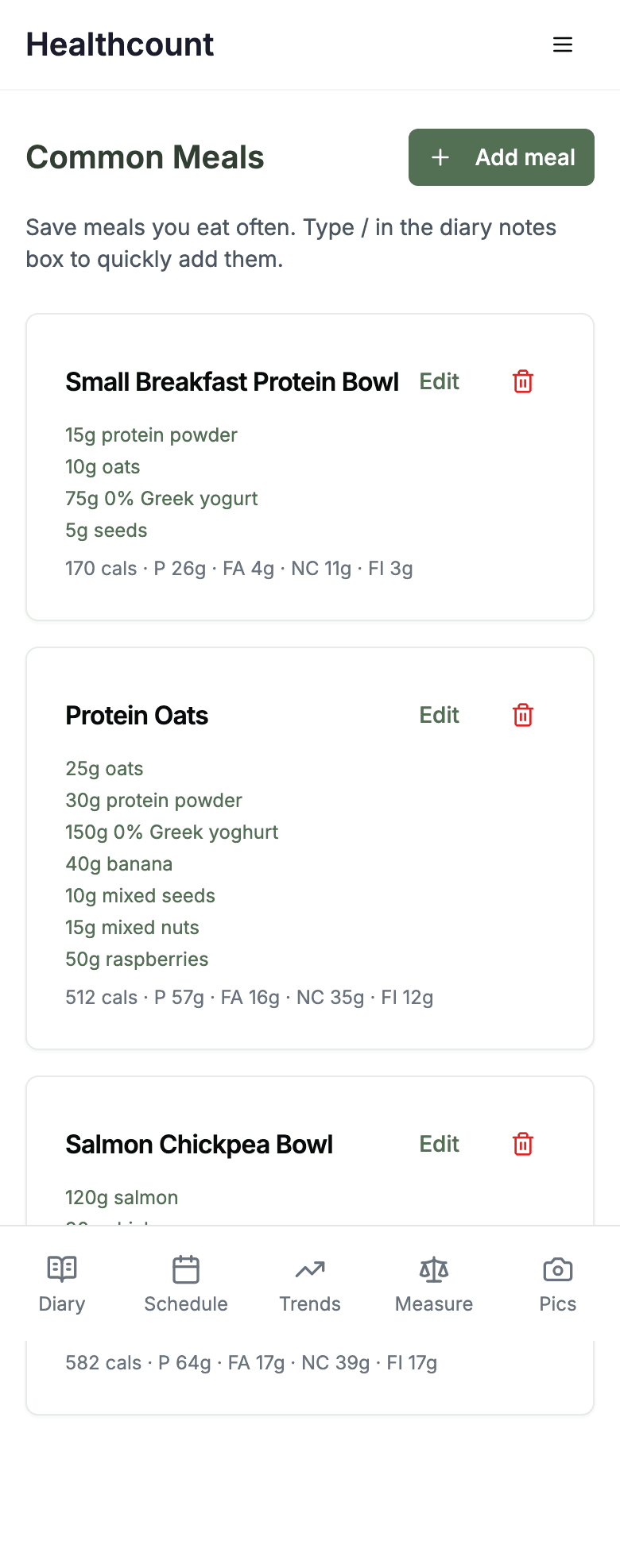
If you eat the same things a lot, save them once on the common meals page. Healthcount stores the ingredients and the full nutrition, so a "Protein Oats" or a "Salmon Chickpea Bowl" becomes a single tap. Then, in your diary, you just type a forward slash to pull them straight in. It's the biggest time-saver in the app once you're settled into a routine.
5. Your daily diary
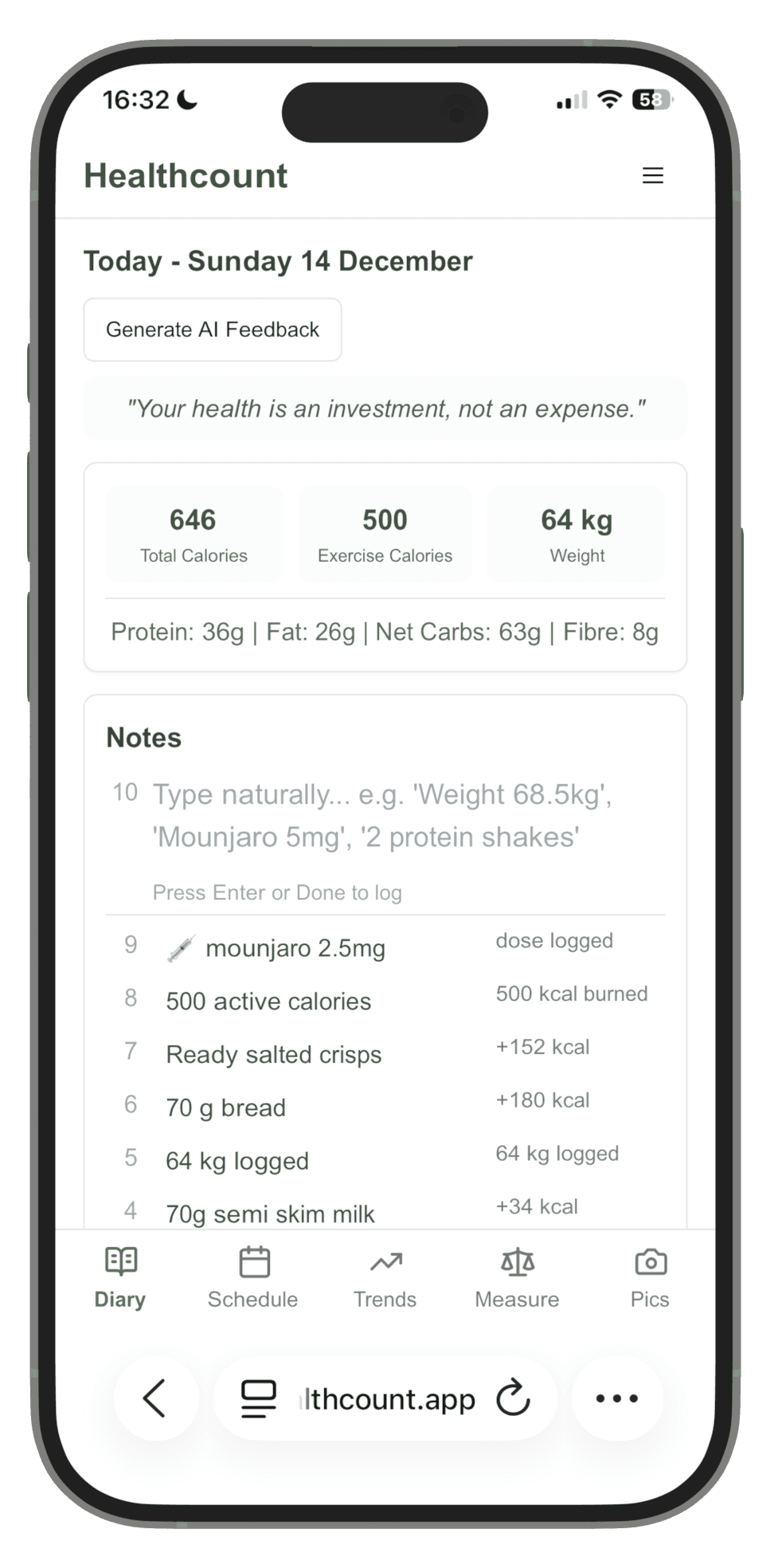
This is the heart of Healthcount, and the page you'll use most. The diary works in plain English. You just type what happened and it works out the rest. No searching through databases, no twenty-step meal builder.
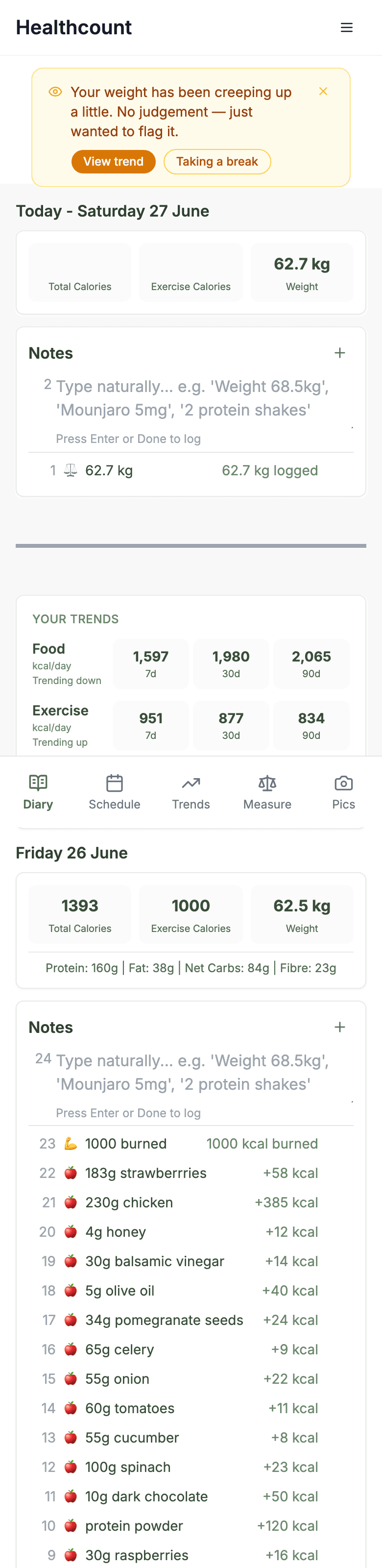
You can log all of these, in any mix, just by typing them:
- Food and drinks, like "chicken salad" or "a flat white"
- Your weight, like "weight 68.5kg"
- Doses, like "Mounjaro 5mg" or "0.6ml"
- Symptoms, like "a bit nauseous" or "headache"
- Exercise and active burnt calories, like "30 min walk" or "880 calories burned"
At the top of each day you get a simple summary: total calories in, exercise calories out, and your weight. Below your entries, Healthcount shows your rolling averages over the last 7, 30 and 90 days, so you can see the direction of travel rather than getting hung up on a single day.
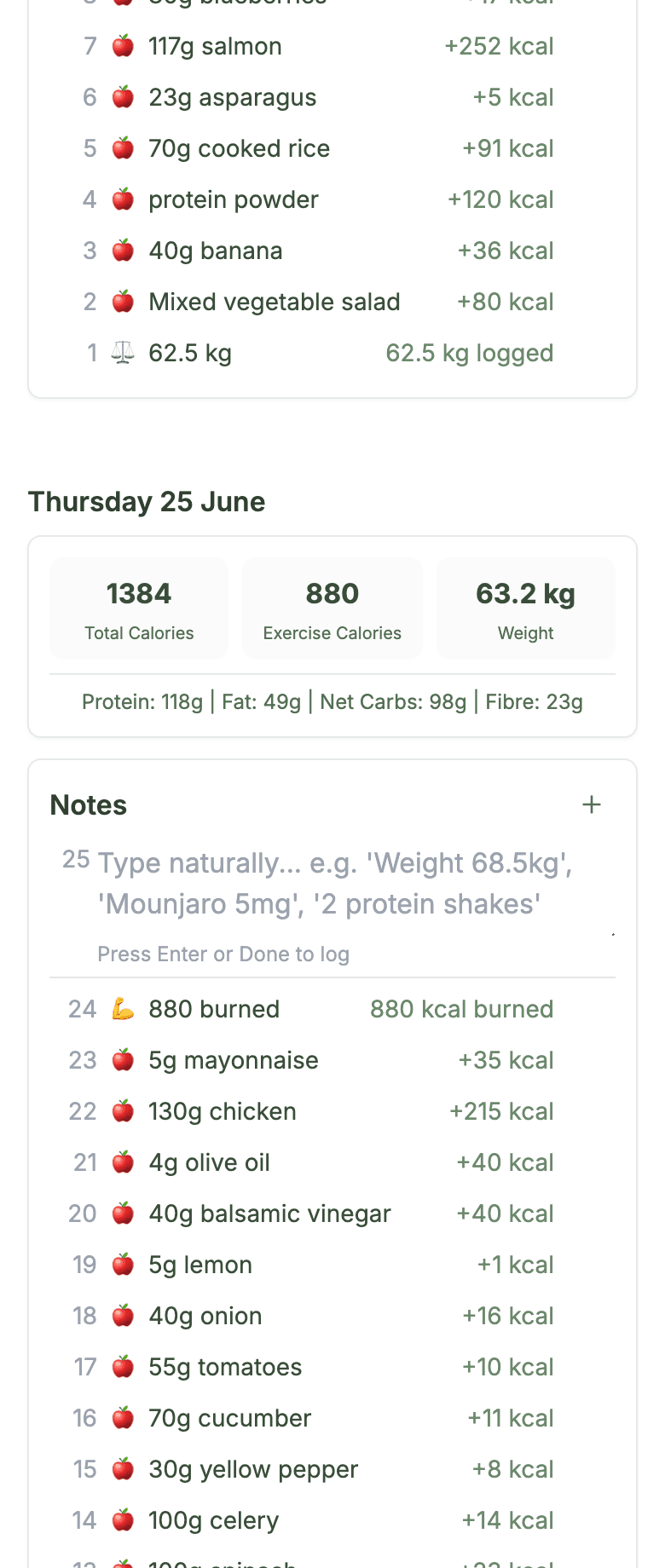
If the app spots something worth a glance, like your weight creeping up or a gap where you stopped logging, it surfaces a small, kind prompt at the top of your diary with an easy next step. No judgement, just a nudge. The weekly check-in used to live here too. It now sits on your trends page next to its own score line, so answering the questions and reading the answers happen in the same place.
6. Your schedule
The schedule answers the questions that nag at the back of your mind: when is my next dose, how much do I have left, and when do I need to reorder? The cards at the top tell you days to your next dose, days to your next order, how many milligrams you have remaining, and how many doses until you should reorder.
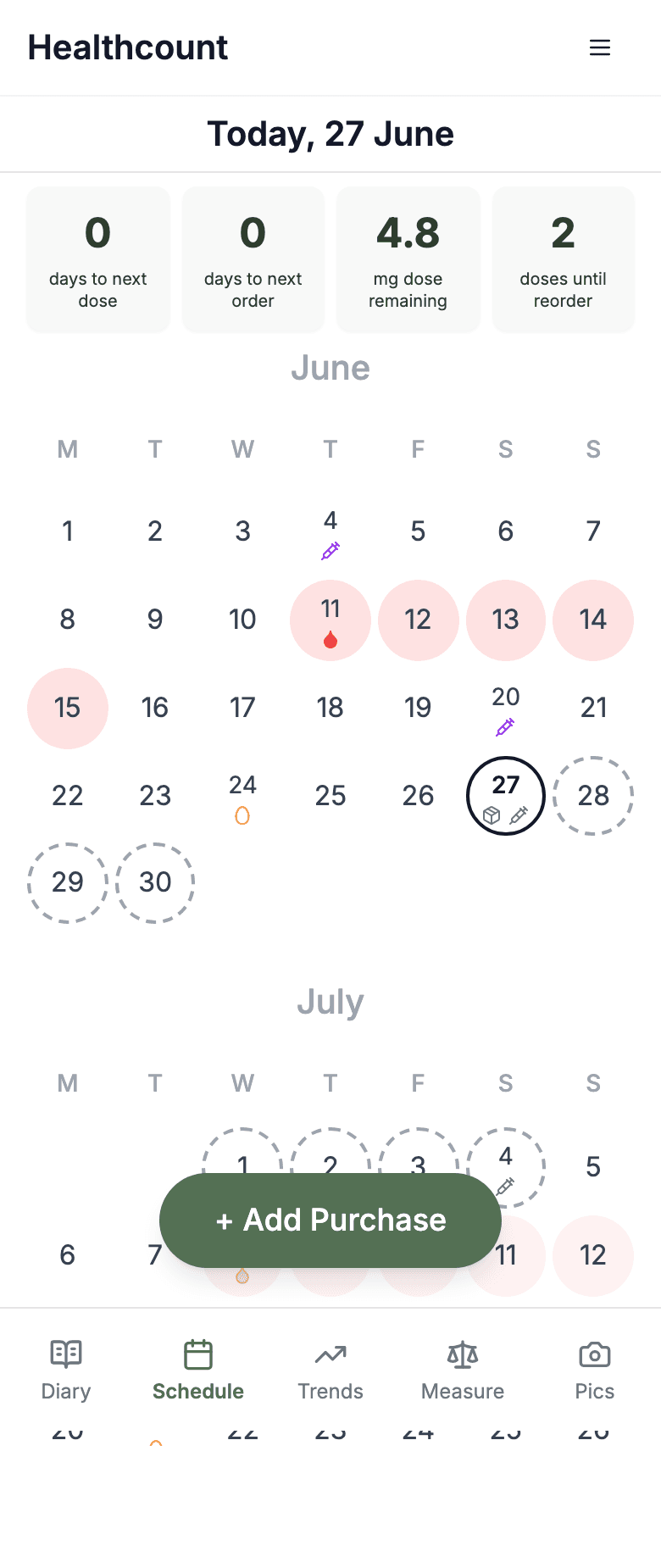
The calendar uses a few simple icons:
- A syringe marks a dose (a solid one is logged, a dashed circle is a projected future dose)
- A package marks a purchase or a reorder reminder
- A pink day with a red drop marks your period
- An orange ring marks ovulation
When a new pen or pack arrives, tap Add Purchase so your stock and reorder maths stay accurate.
7. Your trends
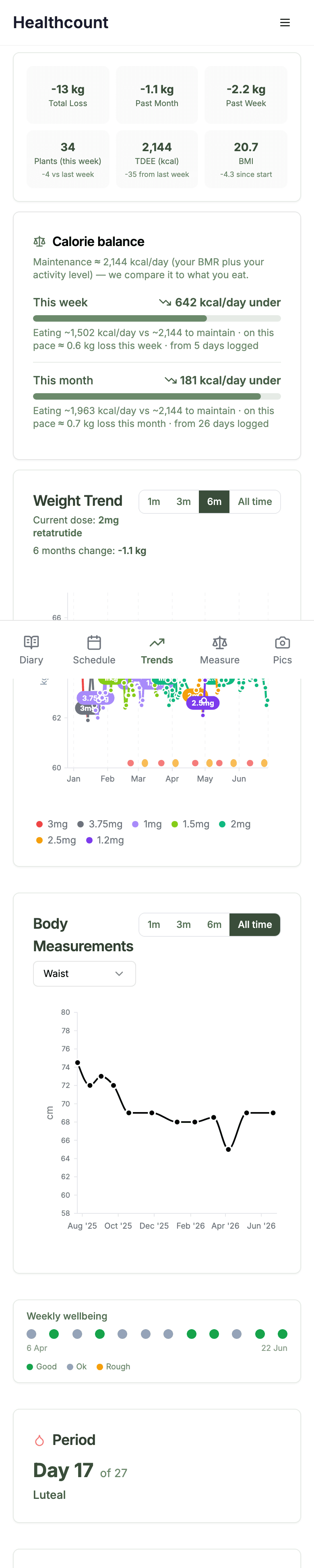
The trends page is where you find out whether it's working. At the top you get your total change, plus your change over the past month and week. A minus sign means your weight went down and a plus sign means it went up. Then there's a calorie balance section that compares what you ate against the calories your body burns, so you can see roughly how far under or over you are. The weight trend graph plots your progress with the dots coloured by your dose, and there's a graph for your body measurements too.
Further down, the weekly check-in asks eight short questions about appetite, cravings, mood and sleep, and plots your score over time so you can see how the weeks compare. It arrives once per dose cycle, and it takes under a minute.
A note for women: cycle and symptoms
If you set your gender to female, two extra things show up. The trends page tells you where you are in your cycle, like "Day 17 of 27" and which phase you're in, and it plots your period and ovulation on your graphs and schedule. This matters because the scale naturally rises with water in the days around your period, and seeing that on the graph stops a normal monthly bump from looking like a setback.
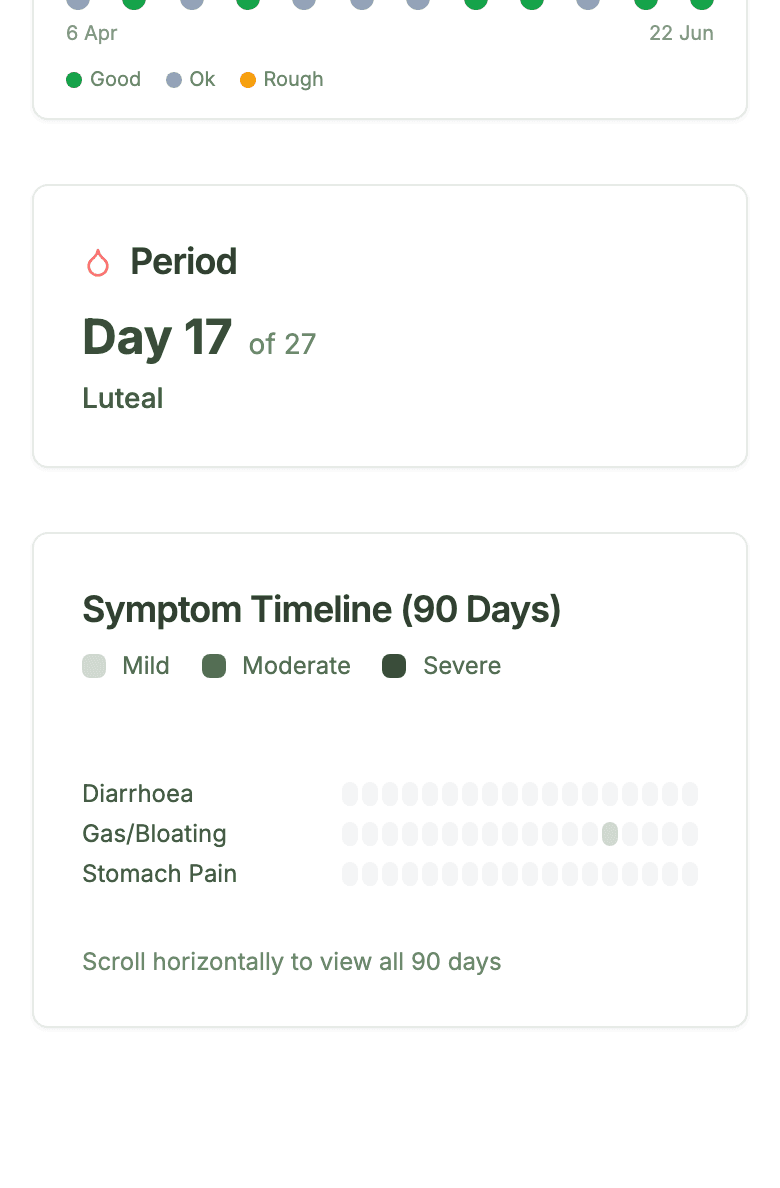
There's also a 90-day symptom timeline, so you can see patterns in things like nausea, bloating or stomach upset over time. It's genuinely useful for spotting whether a dose change settled down or stuck around.
8. Measurements and photos
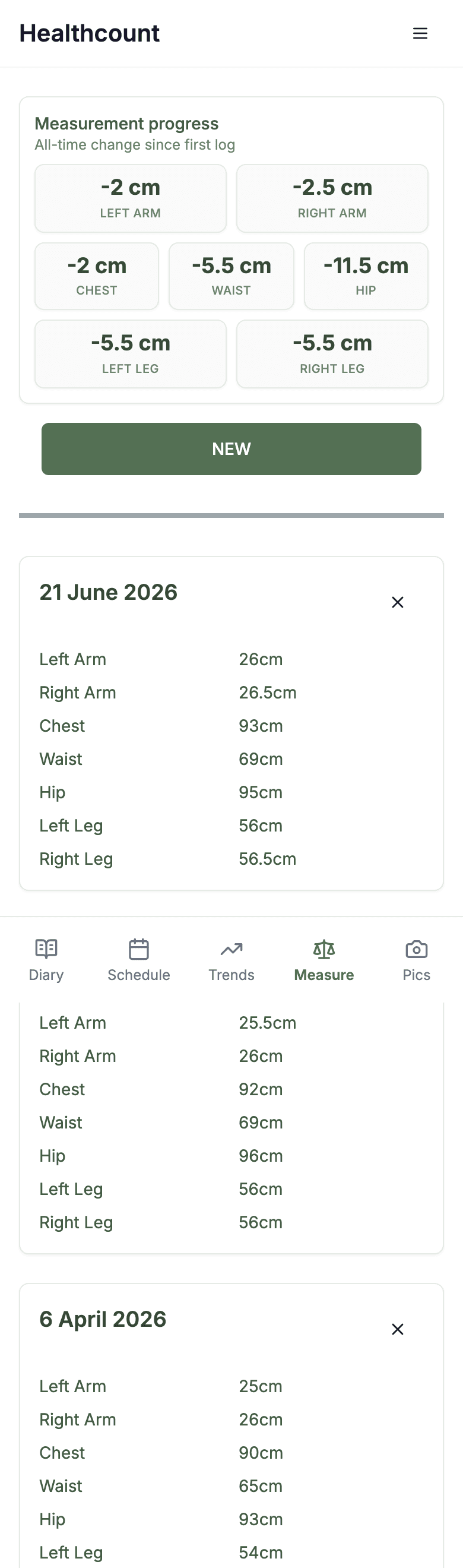
The scale is only part of the story, especially when you're protecting muscle. The measure page lets you track your waist and other measurements over time, which often move even in a week the scale doesn't.
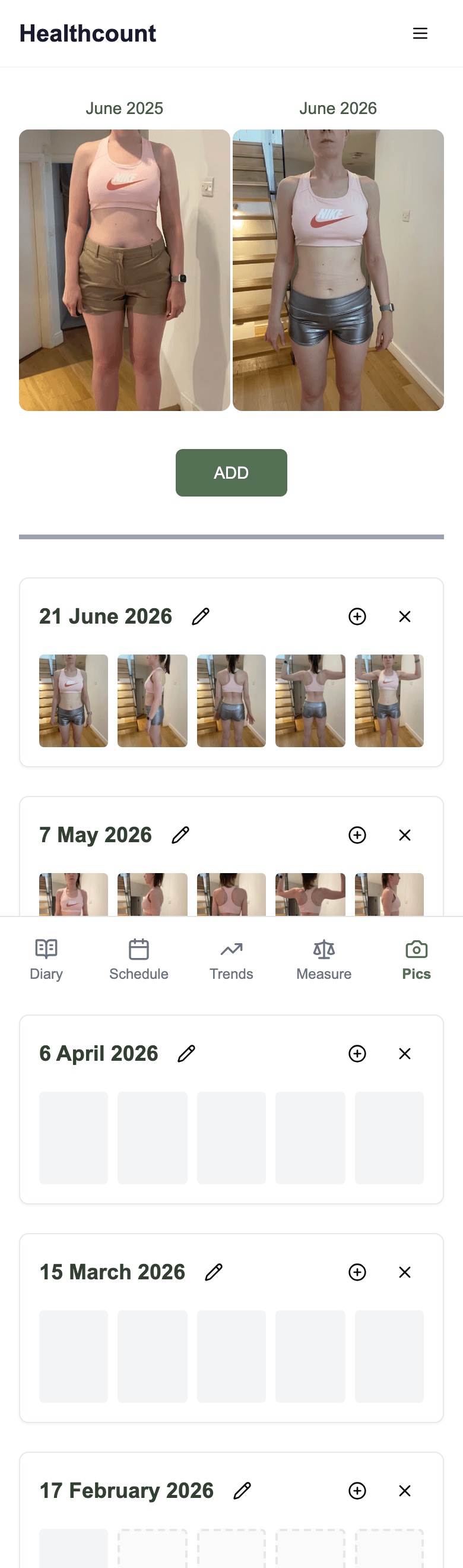
And the pics page lets you keep dated progress photos side by side. They're completely optional and private to you, but a lot of people find them the most motivating part of all, because they show changes the numbers can miss.
Ready to set yours up?
It takes about a minute to start, and you can add the rest whenever you feel ready.
Start freeFAQs
Is Healthcount free?
Yes. You can sign up and track your weight, food, doses and progress for free, with no app to download.
Do I have to log everything?
No. Log your main meals and anything significant. The goal is a clear trend over time, not a perfect record of every bite.
Is this medical advice?
No. Healthcount is a tracking and awareness tool, not a medical service. Always follow your GP or prescriber for dosing and medical decisions. It simply keeps your doses, food, weight and progress in one place so you can have better conversations with them.